Unsend
You can recall a sent voice clip if you posted it by mistake or want to replace it with a better version.
FULL GUIDE FOR INDIA
Text can feel cold. Text can be misunderstood. Voice adds emotion, confidence, and personality in seconds. On modern dating platforms, the strongest communication path is clear: text -> voice -> deeper connection.
Voice messages help you stand out faster than text messages.
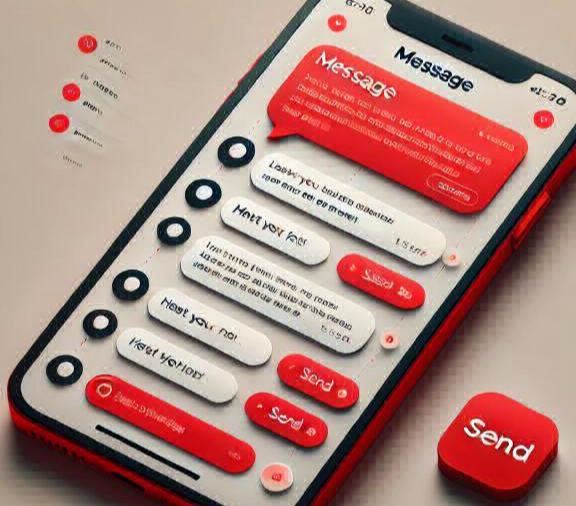
Speak naturally, share your tone, and create trust before meeting in person.
A lot of promising conversations fail because text alone does not carry emotion well. A short sentence may sound polite to one person and distant to another. Delays in reply can create unnecessary doubt. Long text threads also consume time and often move too slowly for people with busy schedules.
Voice solves these problems immediately. A 10-second message can communicate warmth, intention, and clarity better than several long paragraphs. This is one reason many high-quality members use voice early in communication. It keeps things human and avoids confusion.
Voice messages are recorded audio clips sent inside private chat. Instead of typing everything, you press record, speak naturally, and send. The other person can listen later, so both people do not need to be online at the same time.
This feature sits between text and video in terms of comfort. It offers more personality than text and less pressure than turning on a camera. For many members, that balance creates the best early communication experience.
| Type | Best For | Experience |
|---|---|---|
| Text | Basic updates and quick replies | Simple but low emotional clarity |
| Voice | Warm introductions and trust building | Emotion + authenticity, low pressure |
| Video | Deep compatibility checks | Very real but can feel intense early |
Voice messages are available to Premium Members only. Standard users cannot send voice clips.
This policy improves overall user quality and reduces spam behavior in private chat. It also keeps communication more intentional, because people who use premium features generally put more effort into respectful conversation.
Sending audio is quick once you know the flow. Follow these steps exactly to avoid errors:
Key rule: your voice message must be 2 seconds or longer, otherwise sending fails.
Voice tools are not only about sending audio. You can manage each message based on context and comfort. This gives more control and makes communication cleaner.
You can recall a sent voice clip if you posted it by mistake or want to replace it with a better version.
Speech can be converted to text automatically so the receiver can read quickly when listening is not practical.
Unwanted clips can be removed from chat history to keep your conversation organized.
You can reply to a specific voice clip directly, which keeps context clear and improves conversation flow.



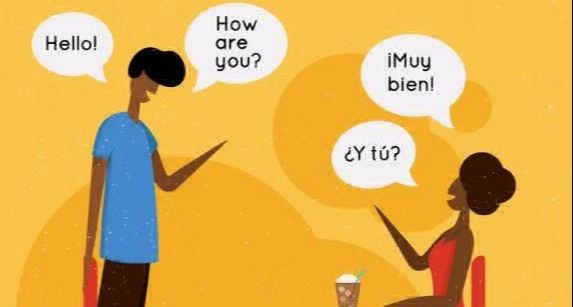

Your profile can include a short voice introduction between 10 and 60 seconds. This is one of the fastest ways to appear real and approachable. Members often decide whether to reply based on tone and confidence, not only photos.
Your voice builds trust before the first message.
A strong self-intro should include who you are, what type of connection you want, and your communication style. Keep it simple and authentic. A natural tone is better than a scripted speech.
People trust what they can hear. Voice carries emotional data that text cannot transmit. A calm, confident tone can reduce uncertainty and create a sense of comfort within seconds. That is why voice often leads to better response rates and smoother conversation quality.
When communication feels real, people answer faster and with more effort. This is exactly what members want when building quality connections online.
Use a calm speed and pronounce words naturally. Clarity beats speed every time.
Five to fifteen seconds is a strong range for first contact. It is easy to listen to and easy to reply to.
Sound warm and respectful. Forced lines usually feel artificial.
Record in a quiet place so your voice remains clean and professional.
Your tone becomes brighter when you smile, and listeners can hear that energy.
The first clip should be simple, real, and respectful. Avoid overacting. Avoid long monologues. Give a reason for your message and invite a natural response.
"Hi, I saw your profile and really liked your vibe. You seem genuine and easy to talk to."
That format works because it is brief, personal, and comfortable. It sounds human instead of promotional.

Keeping all communication on platform gives better traceability and stronger support protection.
| Type | Advantage | Limitation |
|---|---|---|
| Voice | Easy, low pressure, natural rhythm | No visual cues |
| Video | Very real interaction and full presence | Can feel high pressure for first contact |
Voice is often the best balance for early connection: easy to use, authentic to hear, and comfortable for both sides.

Better outcomes usually follow a simple flow: more real tone creates more trust, trust creates more replies, and more replies create more high-quality matches. Voice makes that flow faster because it removes ambiguity and shows personality immediately.
People reply to voices faster than text.
Voice sending is available to Premium Members. If your account is standard, this option stays locked.
Your recording must be at least 2 seconds. Shorter clips trigger an error and cannot be sent.
Yes. If needed, you can recall a clip and replace it with a clearer version.
Yes. Conversion helps when the receiver is in a place where listening is difficult.
Five to fifteen seconds is usually ideal for first contact.
It is safer when kept inside platform chat and paired with basic privacy habits.
Yes. The feature is designed for mobile and desktop users.
No. Mix text and voice based on context. Use voice when tone matters most.
Avoid long monologues, personal data, and overly intense wording. Keep it short and respectful.
Voice brings your profile to life. It sounds more real than plain text, creates faster matching momentum, and supports higher conversation quality from the start. If you want better replies and stronger first impressions, this feature gives a direct advantage.
Start using voice messages now and connect with real sugar babies faster.